
Screenshots and recordings in one click.
Screenhot captures the whole web page, from the header to the last line of the footer, as one image. Now it records your screen too, and zooms on your clicks. Mark it up, blur private details, copy the text or save it as a PDF, an MP4 or a GIF.
Free for Chrome, Edge and Brave. No account needed. Screen recording runs in Chrome for now.
- account
- upload
- watermark
- paid plan
- trackers
See the screenshots in 30 seconds.
Every screen in this video is the real extension, captured on a demo travel site. Press play for the tour with sound.
In the film: a full page capture, split pages, all open tabs, hiding cookie banners, annotations, automatic blur, copy text, frames, Hotboards, recorded flows and PDF export.
Record your screen. It comes out polished.
Record a tab, a window or a screen. Screenhot zooms on your clicks, adds a backdrop, title cards and your face, then exports MP4, WebM or GIF. Every screen in this film is the real editor.
In the film: record a tab, auto zoom on your clicks, pick a backdrop, replay at tablet and mobile size, add a title card, move your webcam, add a voiceover, blur and highlight, drag items on the timeline, and export. Nothing leaves your device.
What you can do with it
RecordA tab, a window or the whole screen. Mic, page sound and webcam are each optional.Auto zoomThe video zooms on your clicks. Add zoom areas, or move and remove any of them.BackdropColors, gradients, padding, round corners and title cards.WebcamMove, resize and reshape your bubble after you record.VoiceoverTalk over the video after the fact, and re-record any clip.LayoutsReplay a tab recording at Tablet or Mobile size.ExportMP4, WebM or GIF, in the quality you pick.
What it never does
- Upload a recording
- Ask you to sign in
- Add a watermark
- Stop you after a few minutes
Long recordings are saved in small parts as you go, so an unfinished one can be recovered. Recording works in Google Chrome for now.
Everything you need after the click.
Capture it, record it, fix it, explain it and share it, without opening another app. All of it runs inside your browser.
-
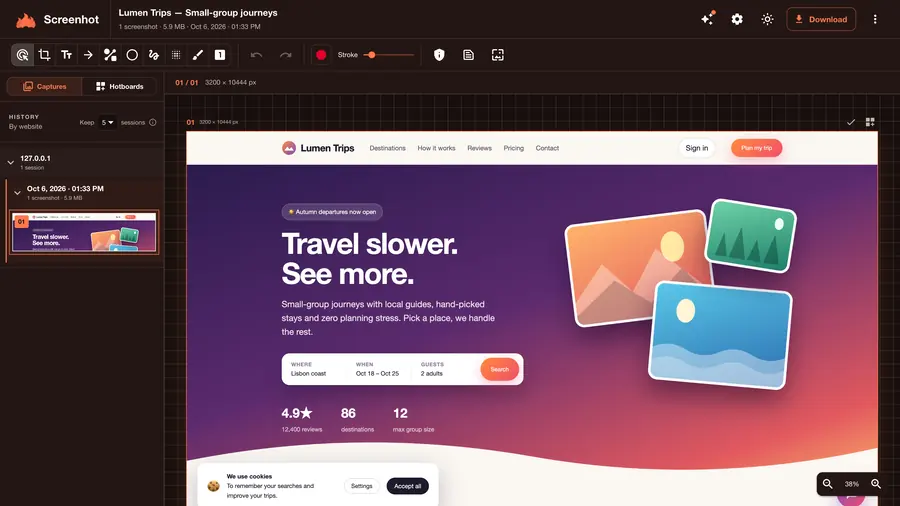
The whole page, even the long ones
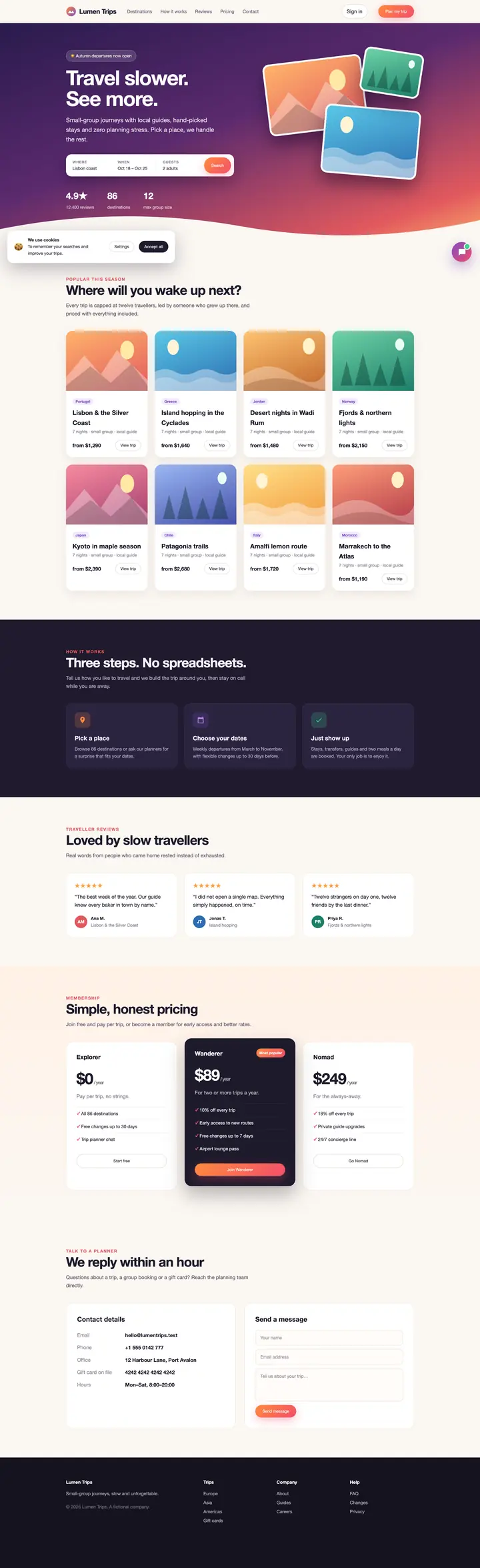
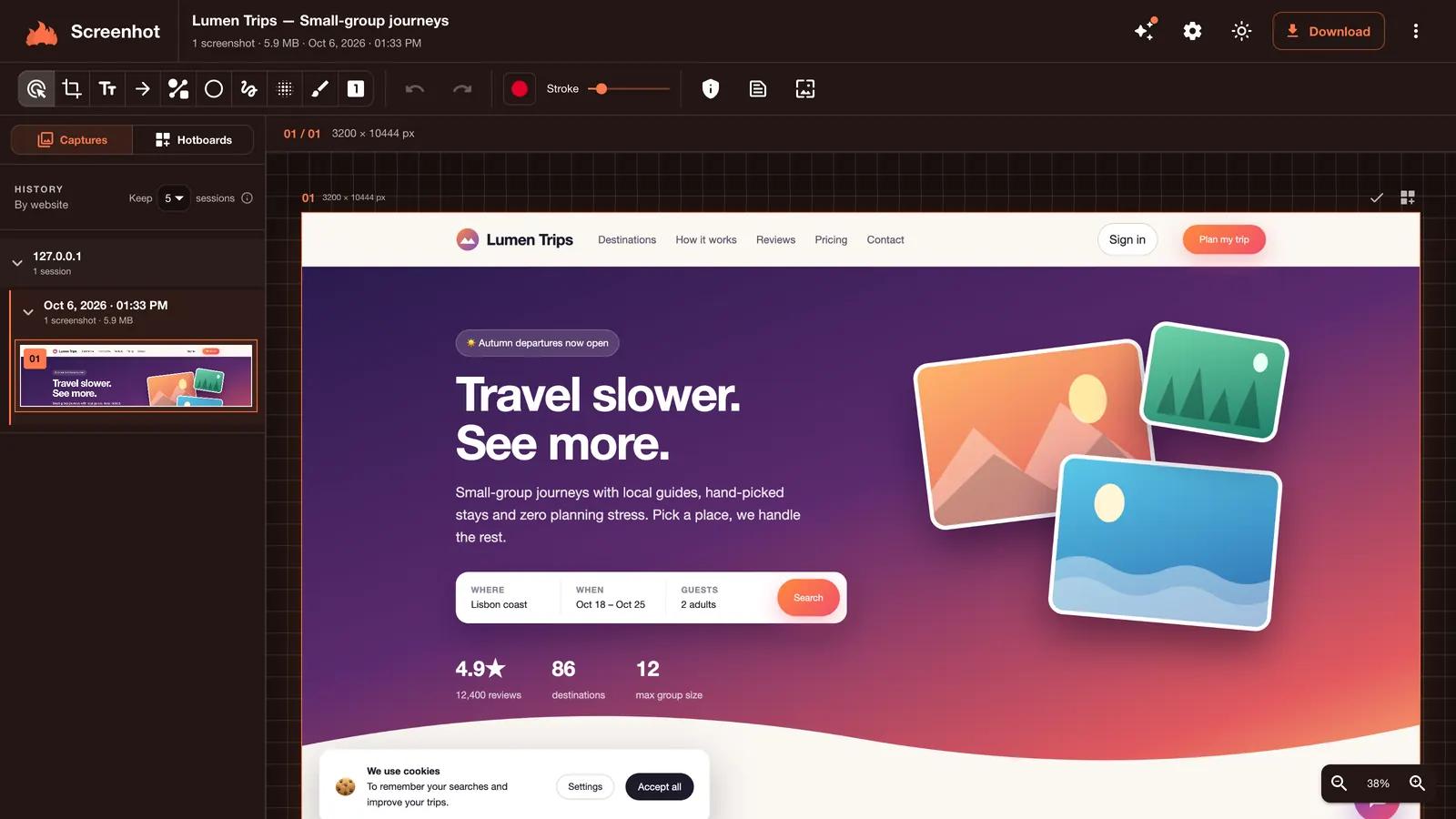
Screenhot scrolls the page, captures every part and stitches them into one image. Sticky headers show up once, lazy-loaded images get time to load, and the page goes back exactly as it was.
-
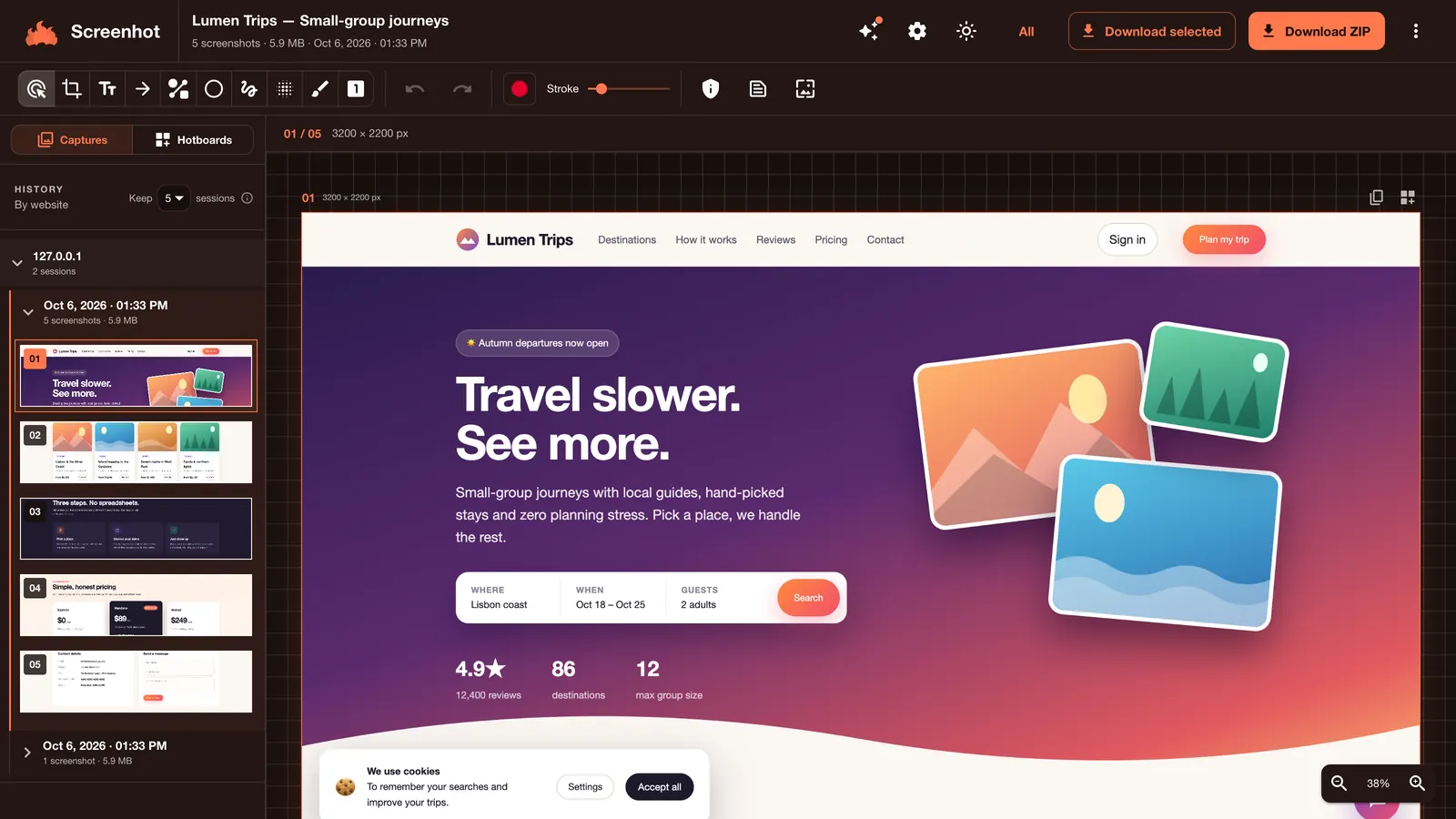
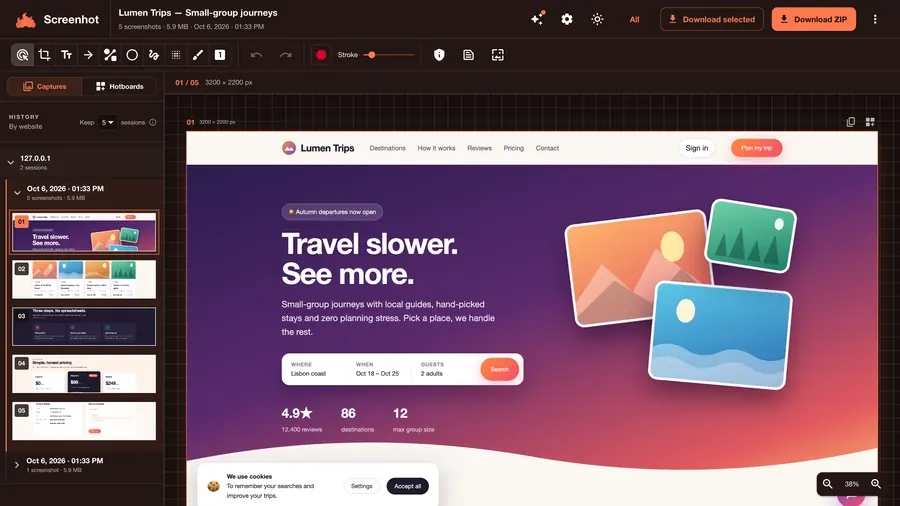
Split a long page into numbered images
A 20,000-pixel image is useless in Slack or email. Set an image height and an overlap, and get a clean numbered series instead. Download one, all, or a ZIP.
-
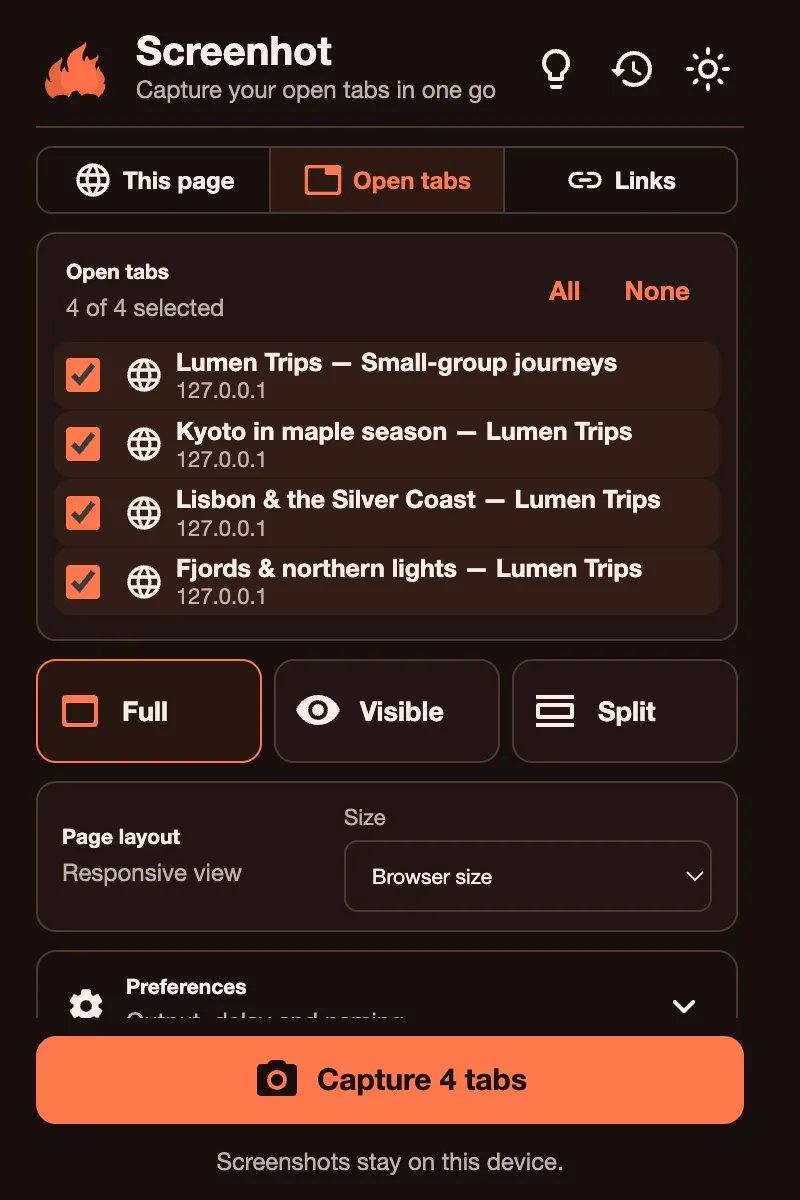
Screenshot all your open tabs
Pick the tabs, or paste a list of links. Screenhot captures each page in a small side window while you keep working, then puts every result in one session.
-
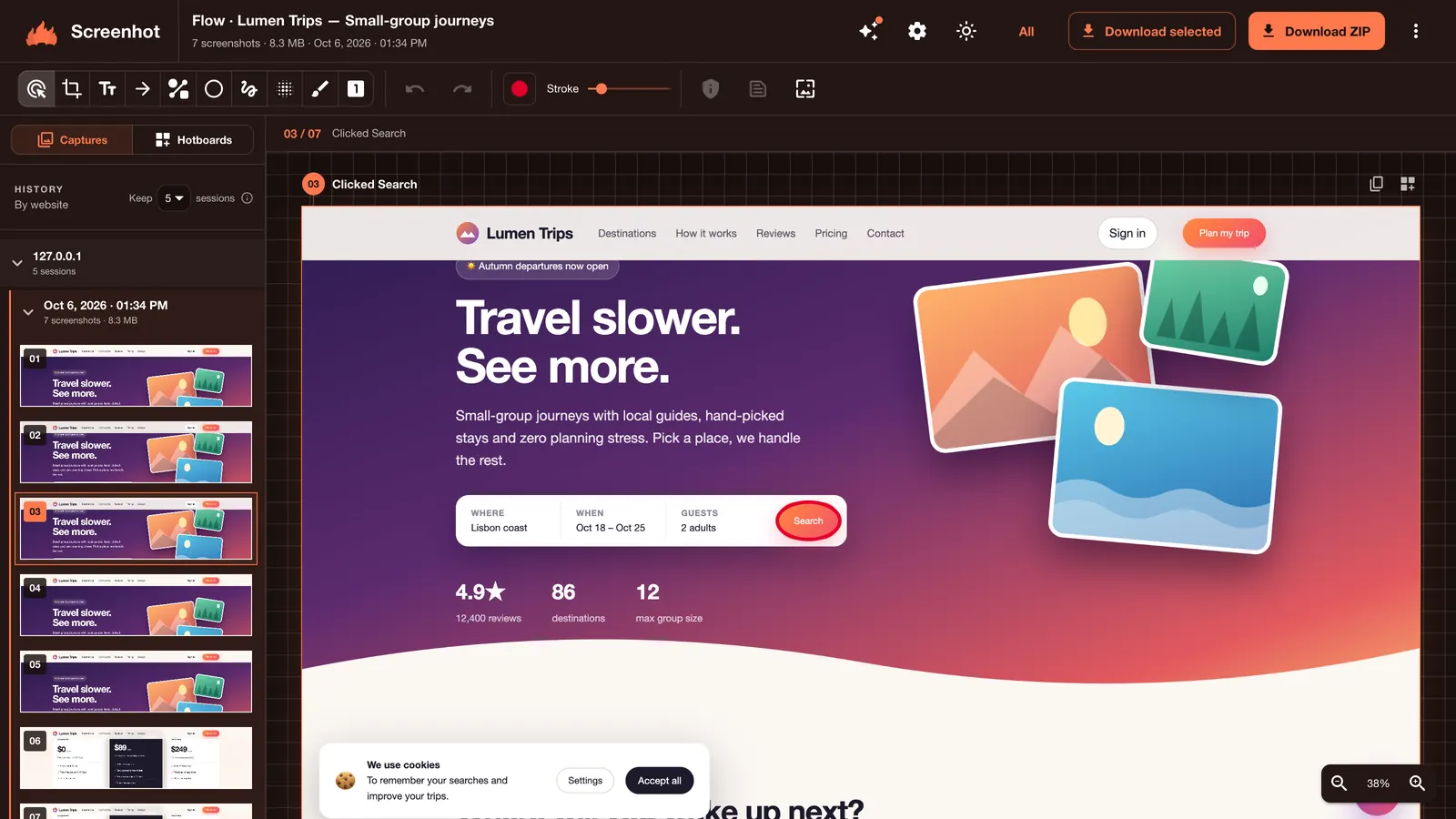
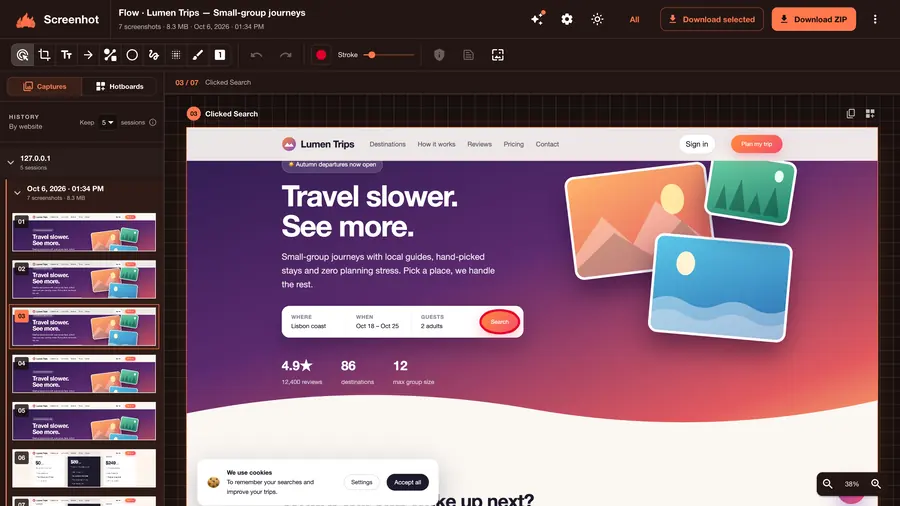
Record a flow, get a step-by-step guide
Use the website as you always do. Every click, opened page and scroll becomes an ordered screenshot, and the button you clicked is marked for you. Made for bug reports, QA and how-to guides.
-
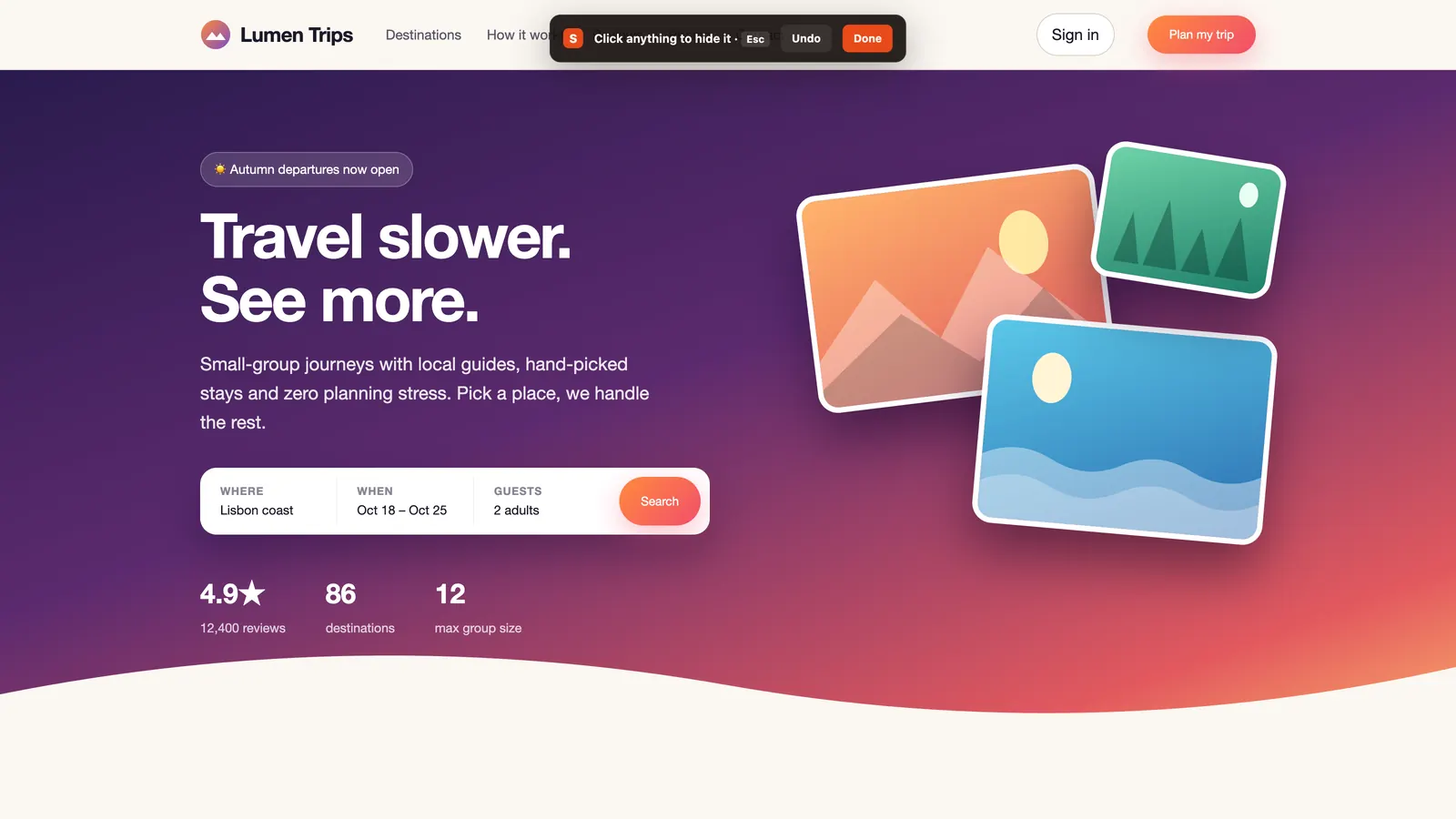
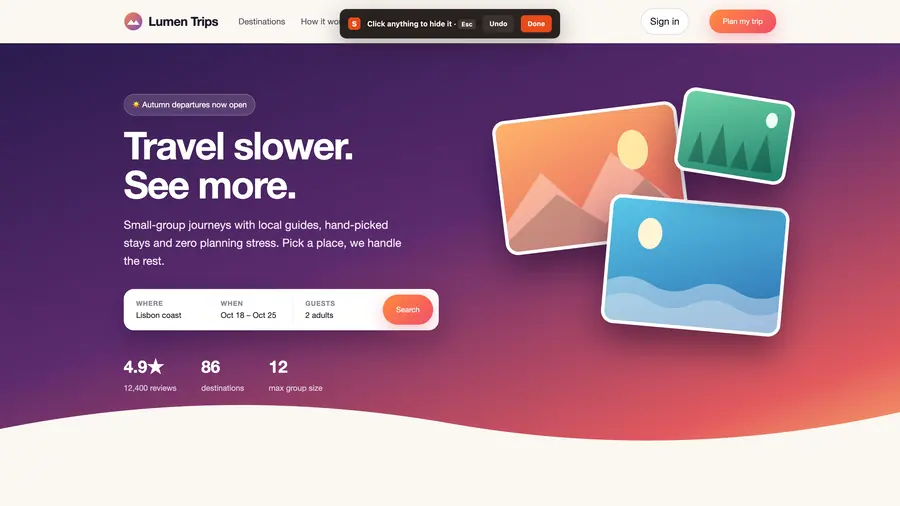
Hide cookie banners before you capture
Click the cookie banner, the chat bubble or anything else in the way, and it is gone until the page reloads. One click removes a whole fixed box.
-
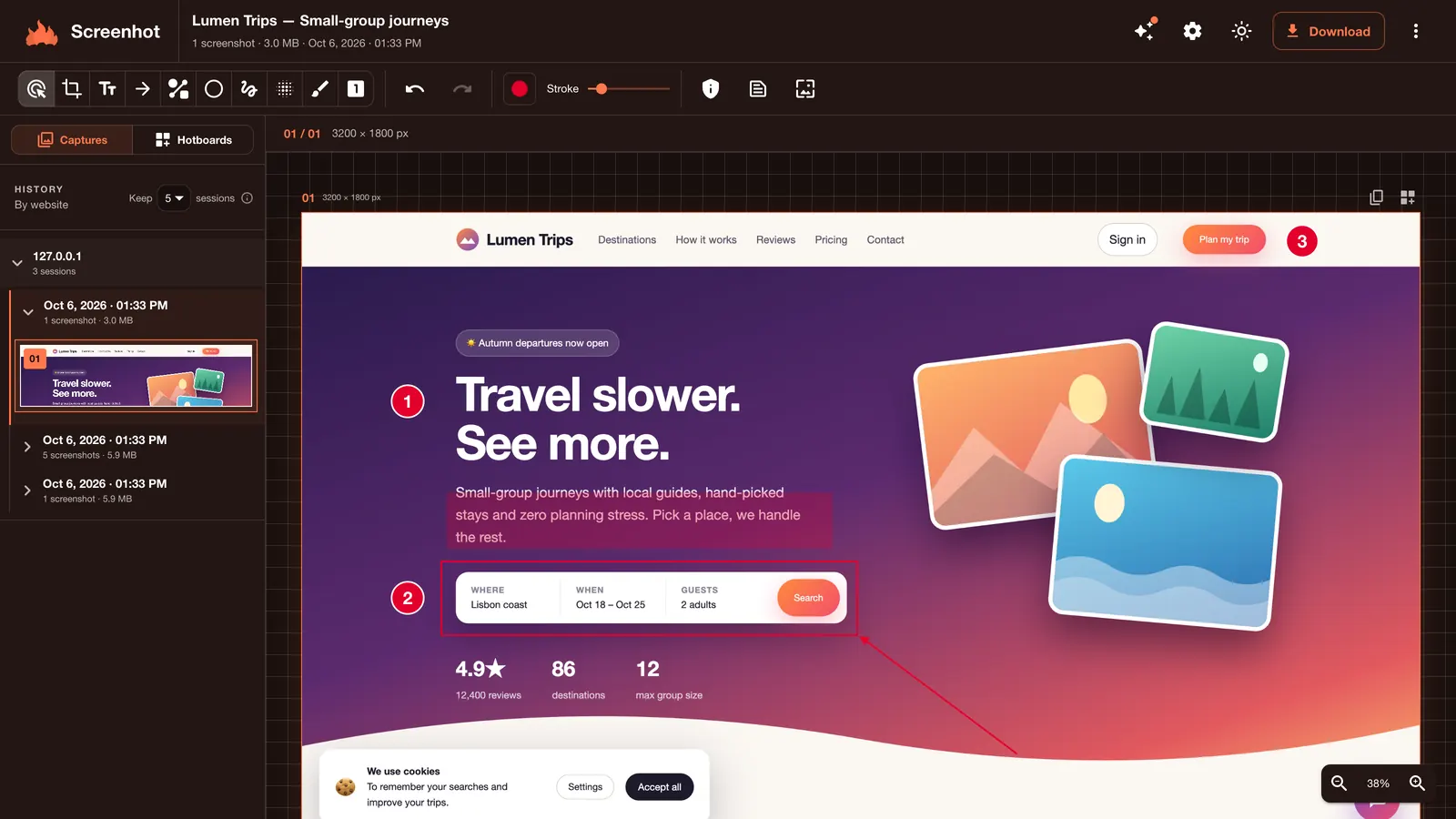
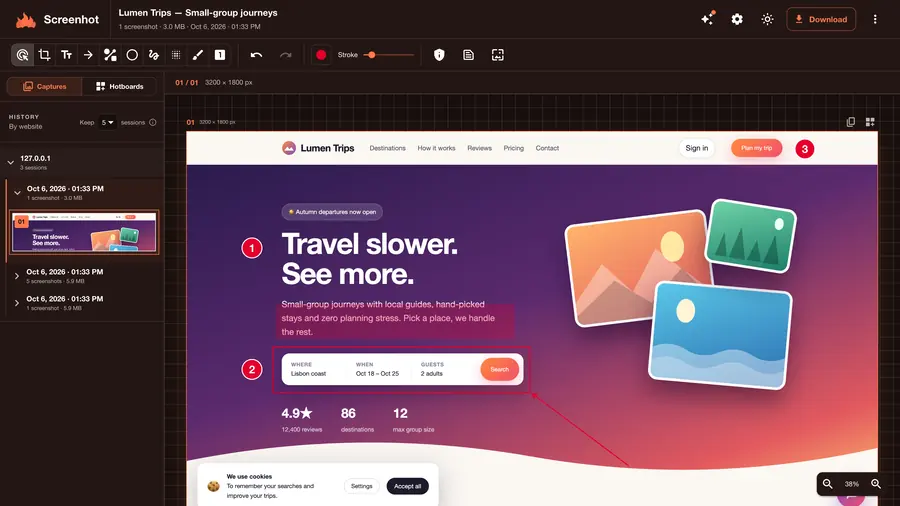
Mark it up: arrows, boxes, step numbers
Point at the problem with an arrow, box the button, highlight a line, and drop step numbers 1, 2, 3 with a click each. Crop, add text and draw freehand, with unlimited undo.
-
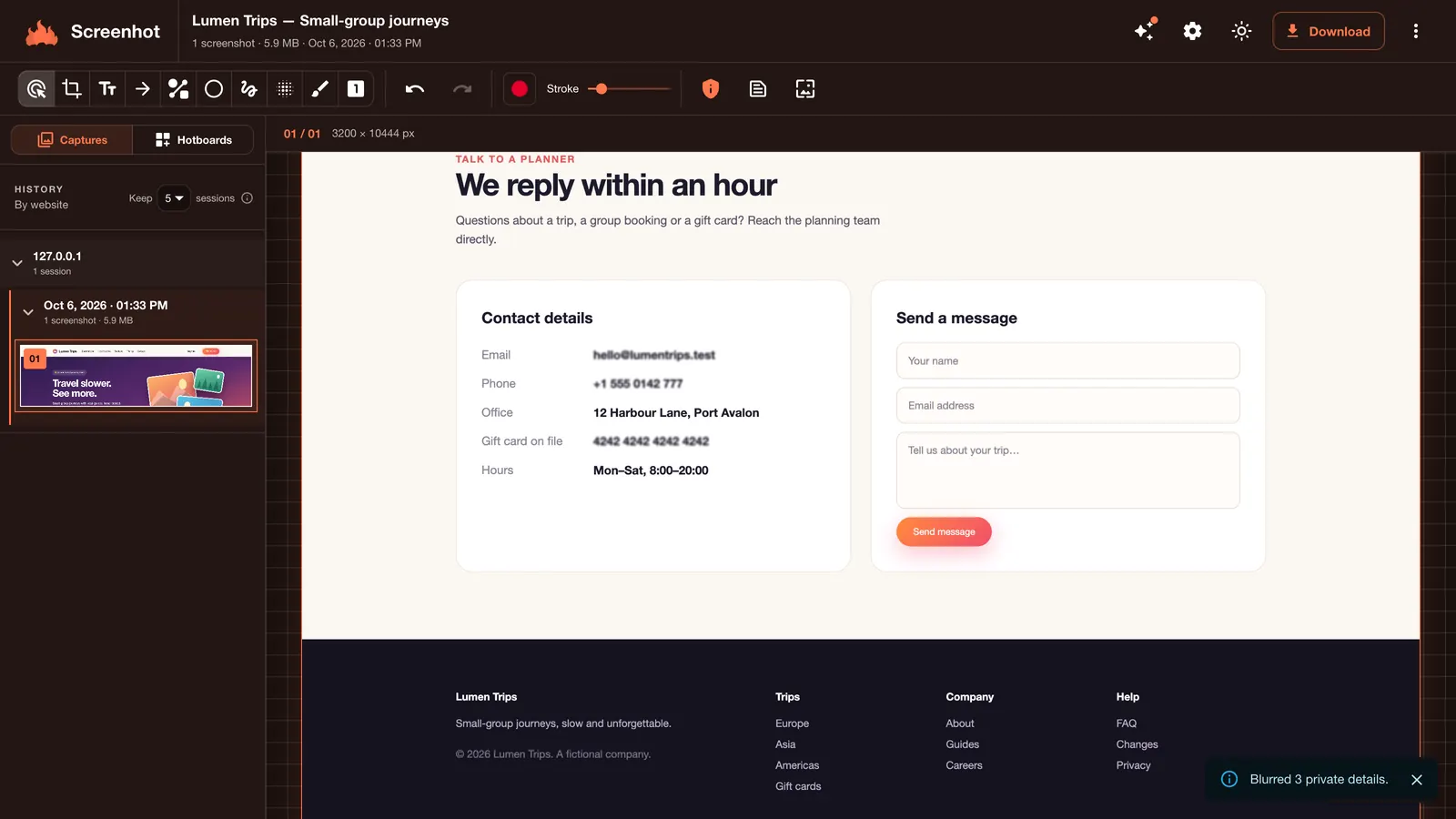
Blur private details automatically
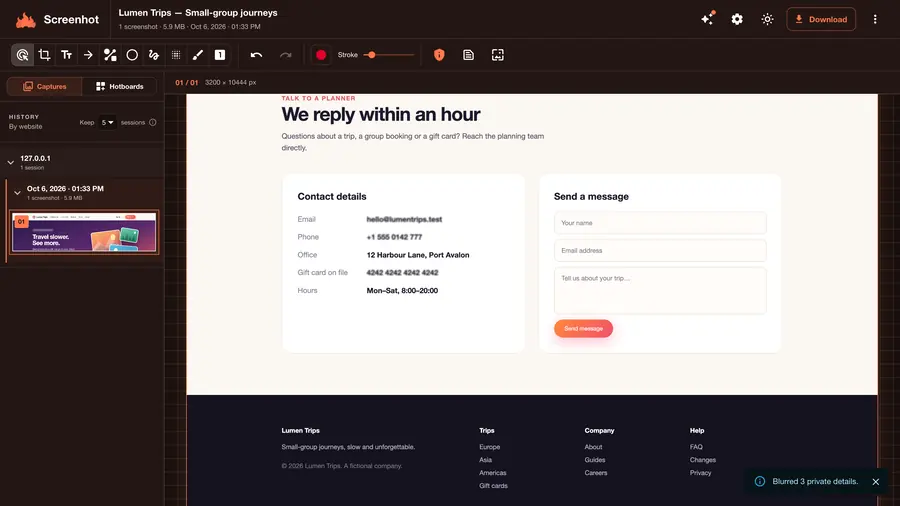
Screenhot finds email addresses, phone numbers and card numbers on the screenshot and blurs them on your computer. Undo any blur you do not need.
-
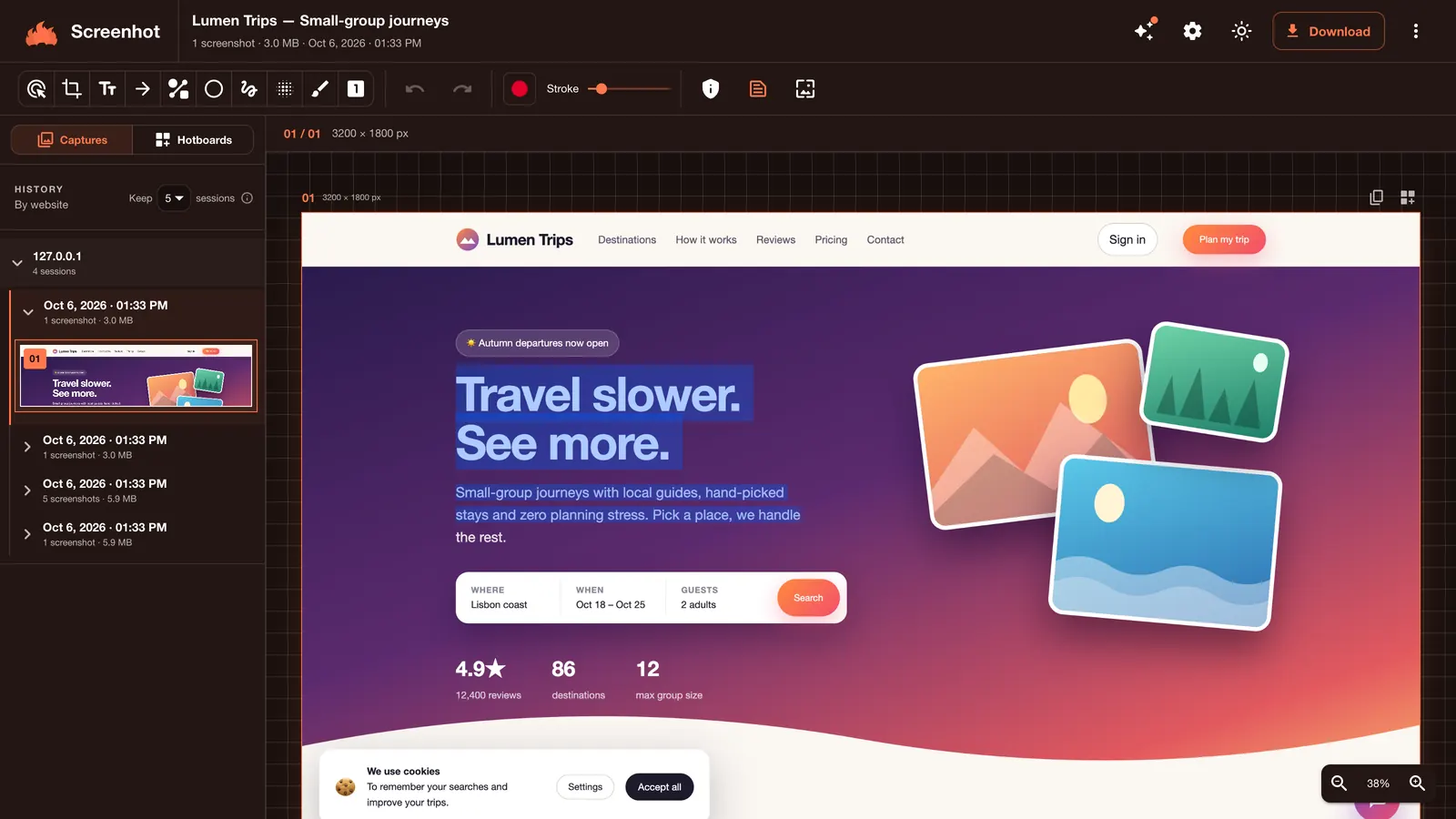
Copy the text from a screenshot
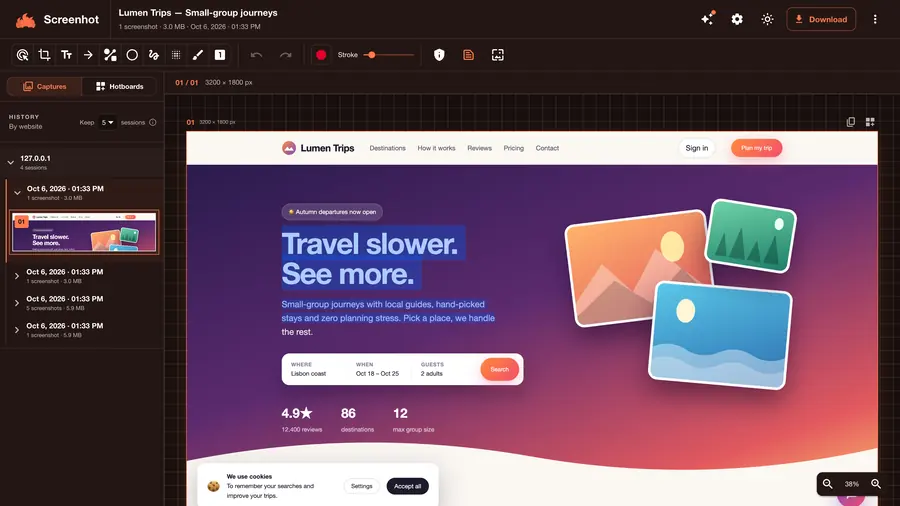
Select words right on the image and copy them, or copy all of its text from the menu. Text you blurred stays out.
-
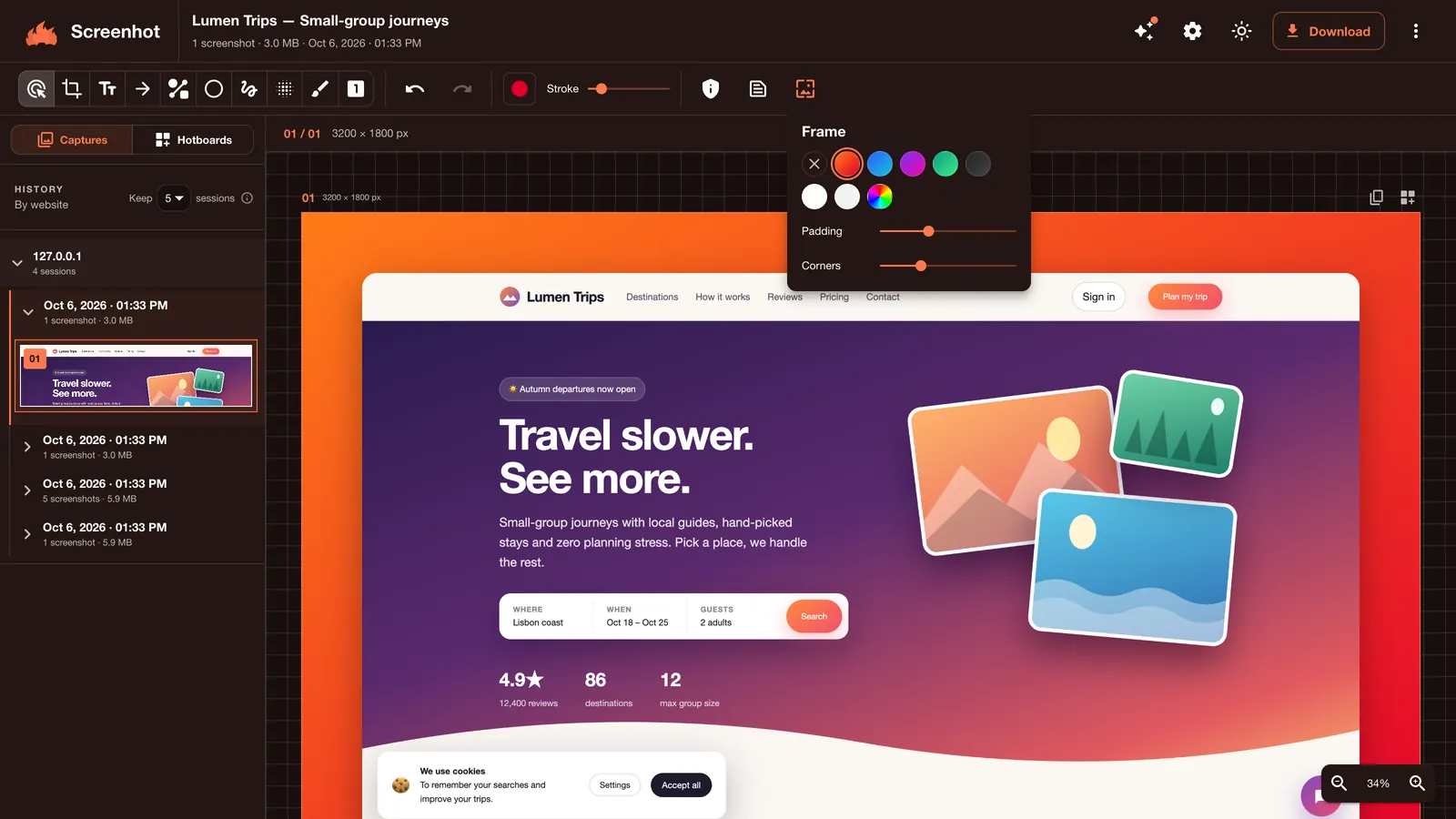
Frame it for slides and posts
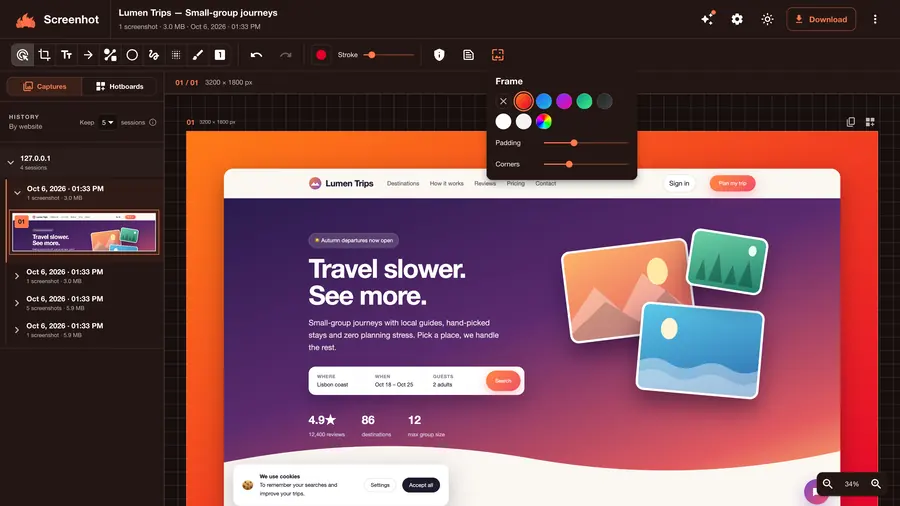
Put a screenshot on a colored or gradient backdrop with padding, round corners and a shadow. No design app needed.
-
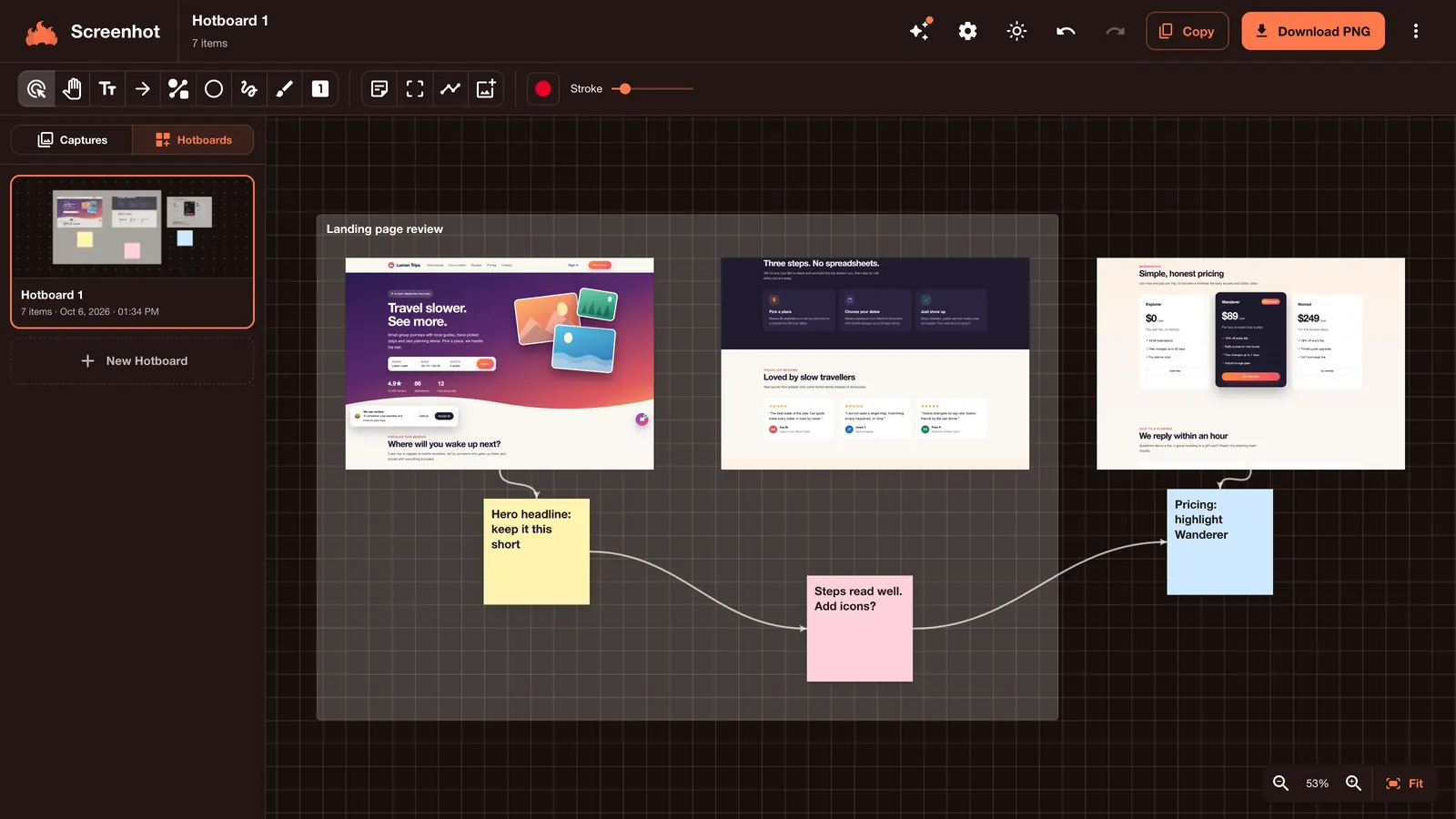
Plan it on a Hotboard
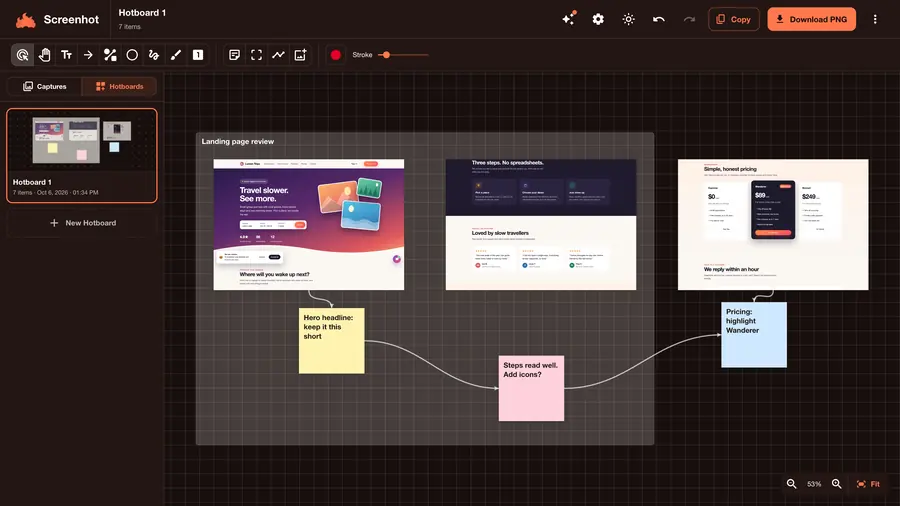
A whiteboard for your screenshots, inside the editor. Add captures, sticky notes, labeled frames and curved connectors, then export the board as one PNG.
-
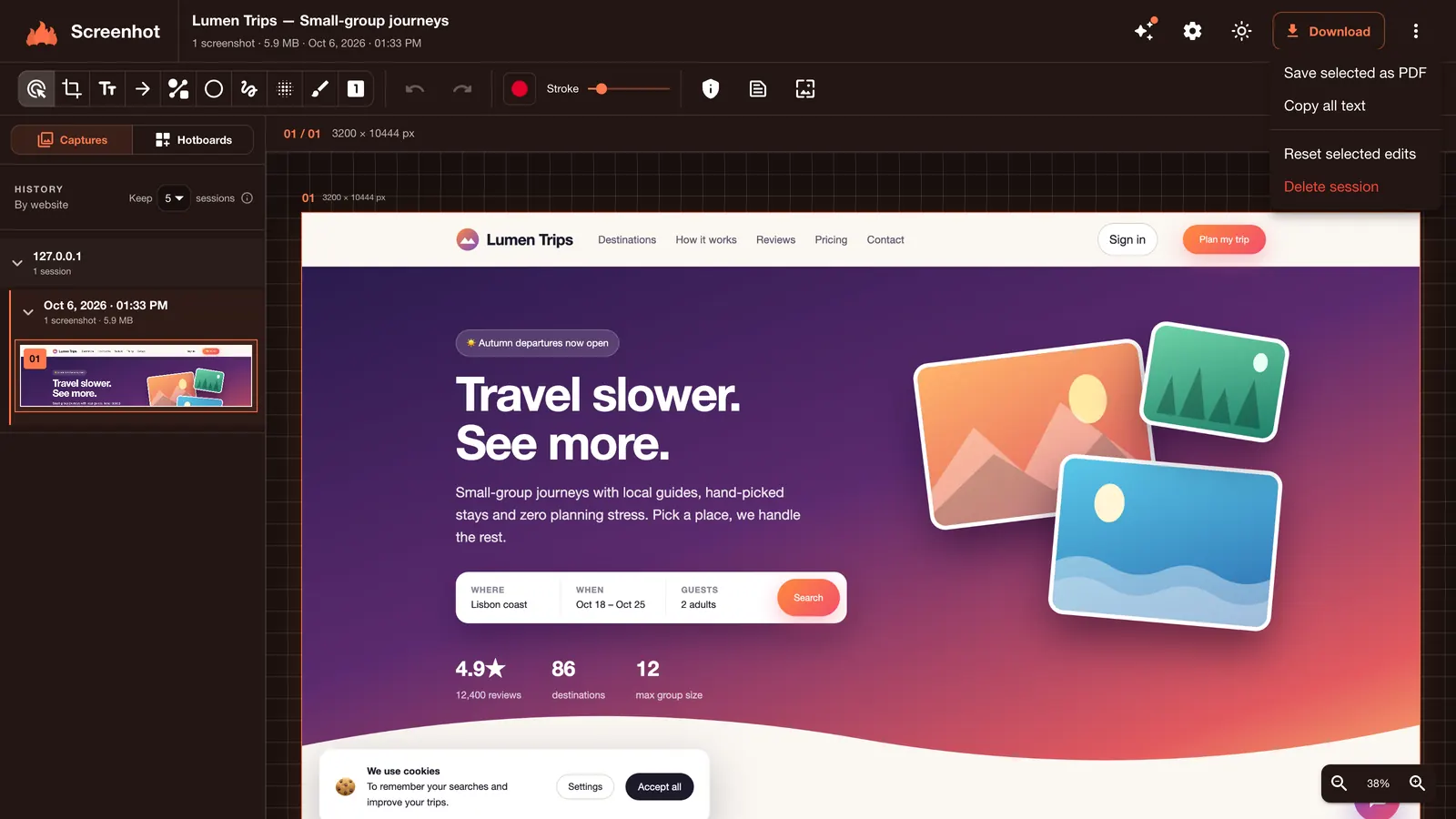
Save as PDF, PNG, JPEG or WebP
Export one screenshot or a whole session as a PDF with searchable text and clickable links. Or download PNG, JPEG, WebP or a ZIP, named the way you want.
-
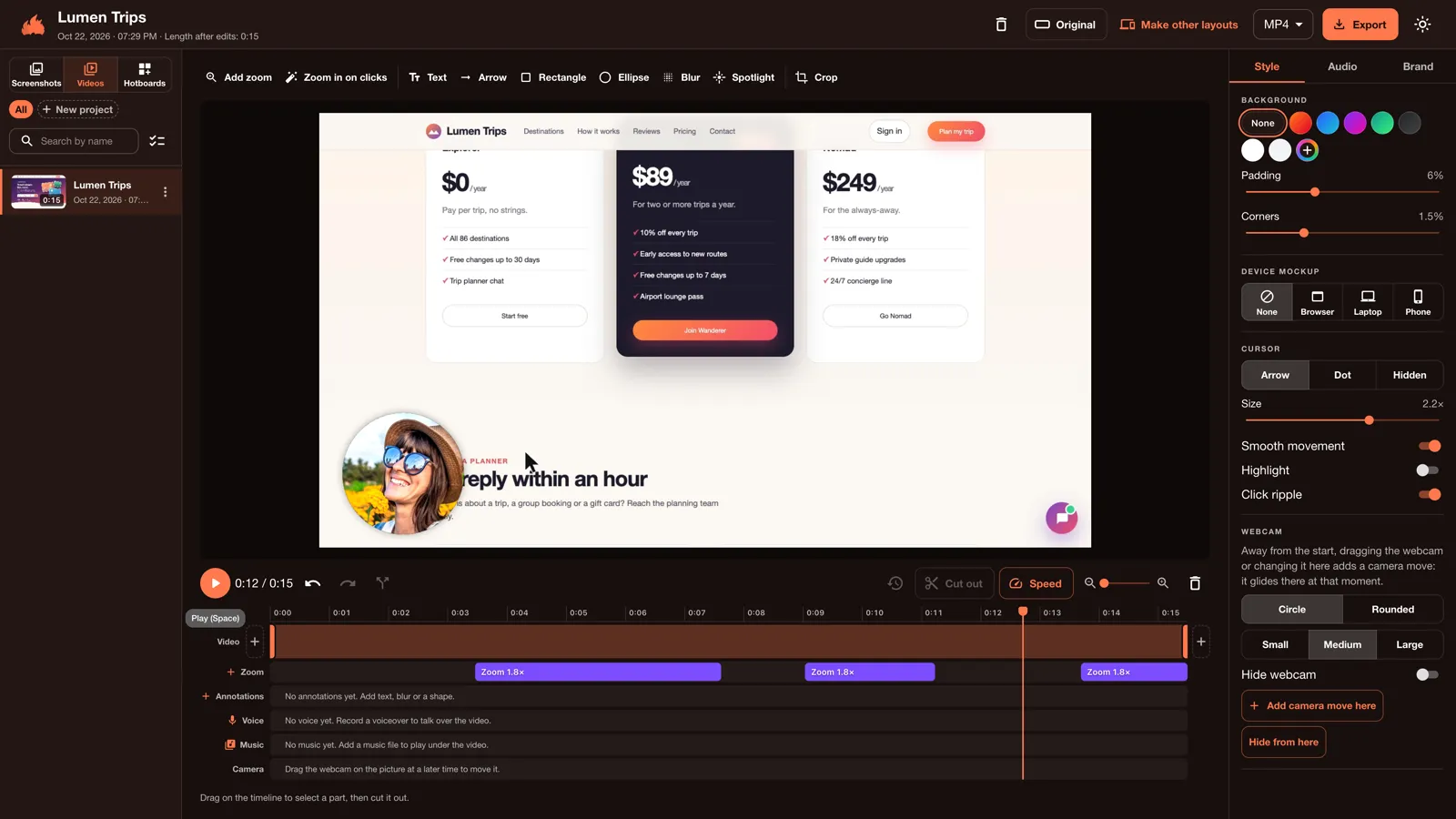
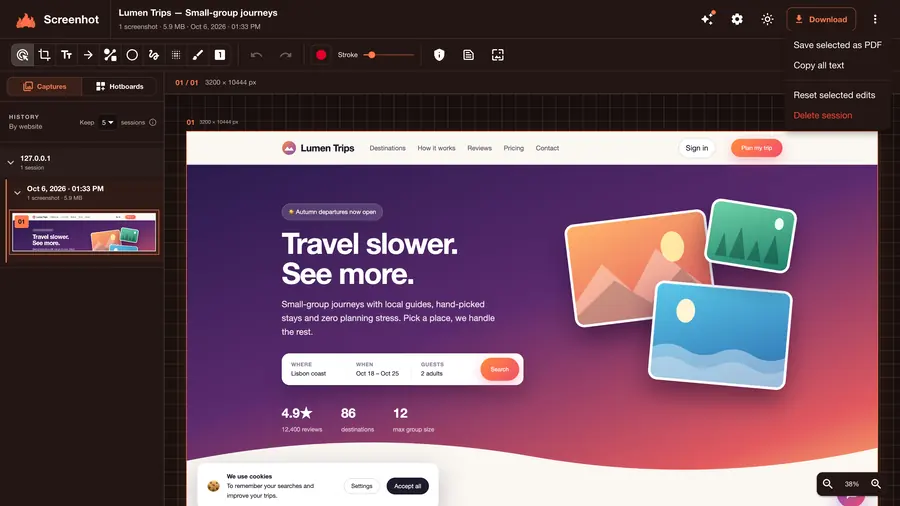
Let your clicks steer the camera
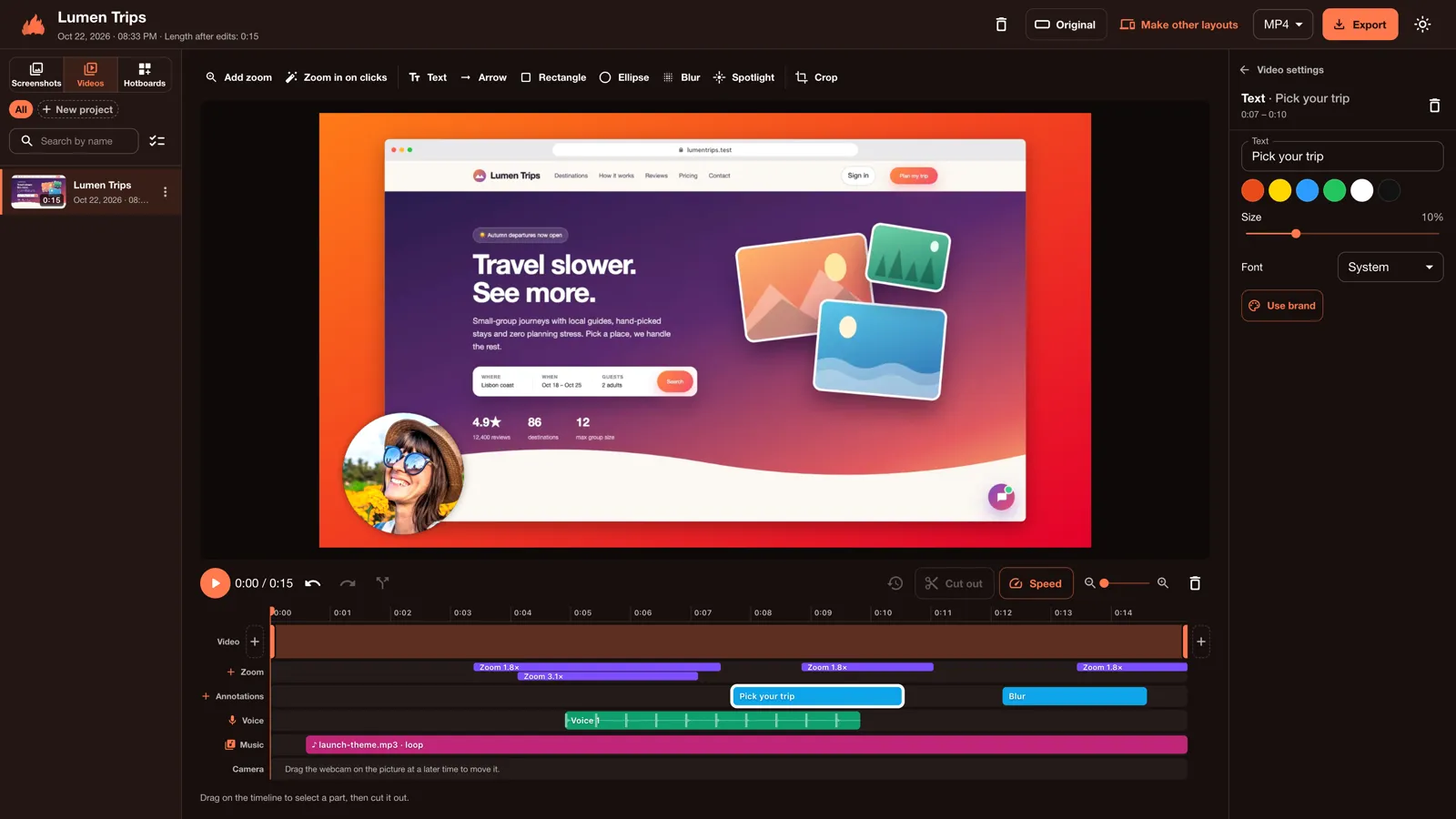
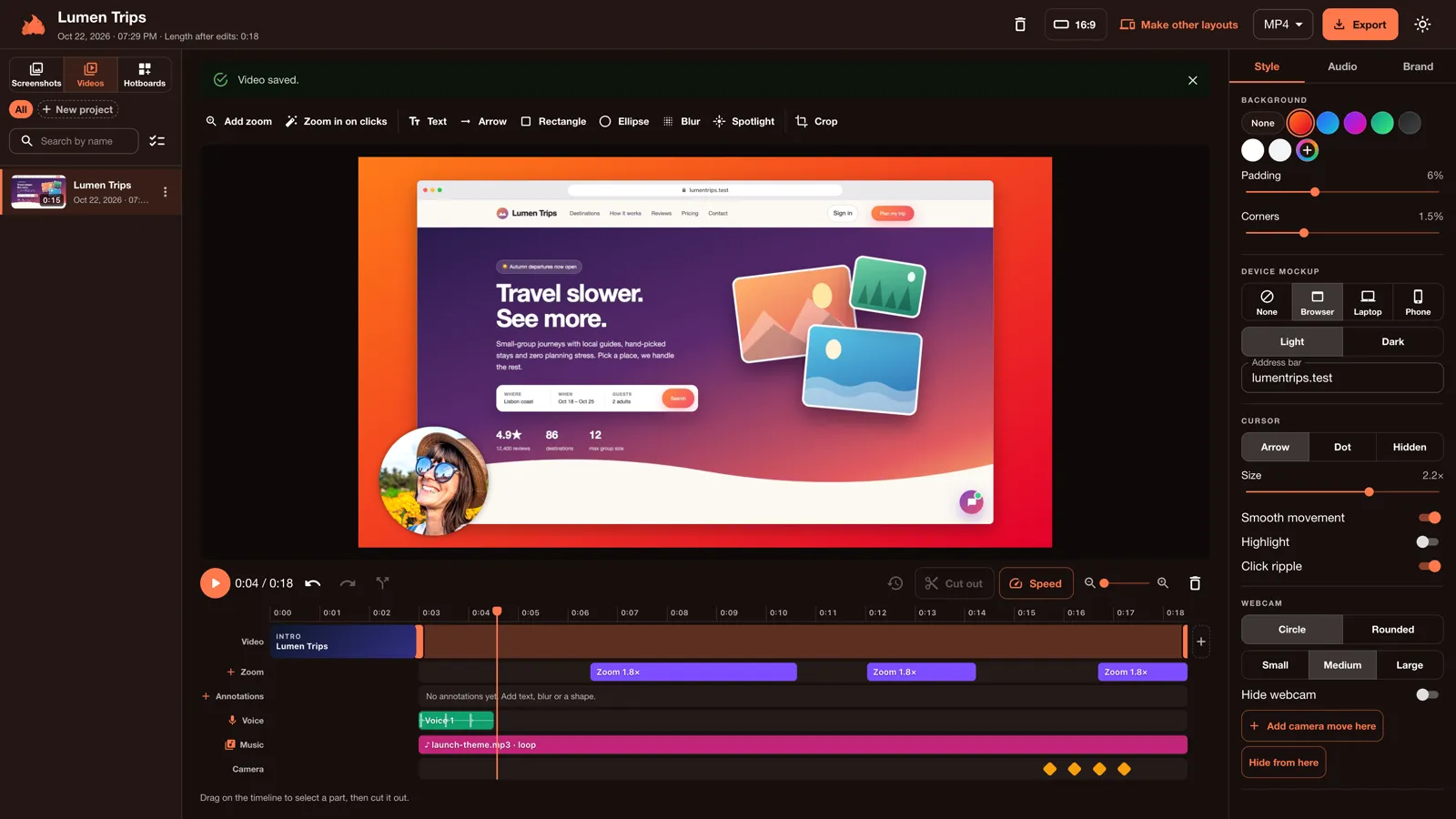
Record a page and the video zooms in on every click, then eases back out. Add zoom areas yourself, and move or remove any of them on the timeline.
-
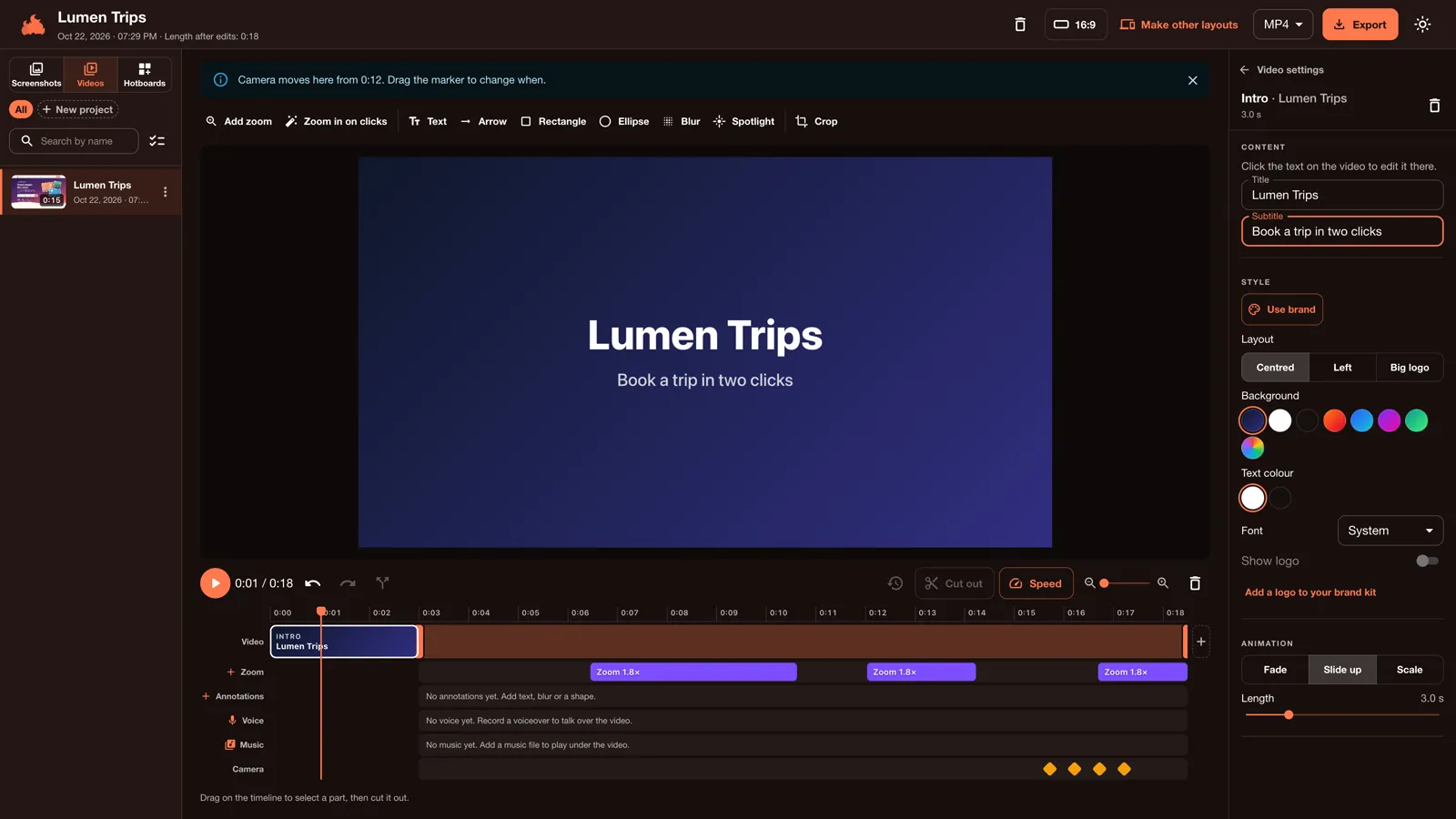
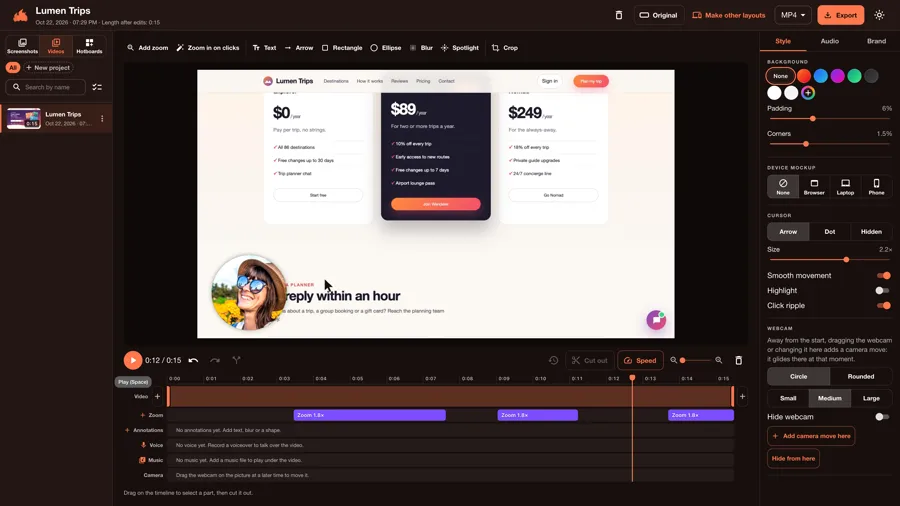
Add a backdrop and a title card
Put your recording on a colored or gradient backdrop with padding, round corners and a shadow, and open it with a title card. No video app needed.
-
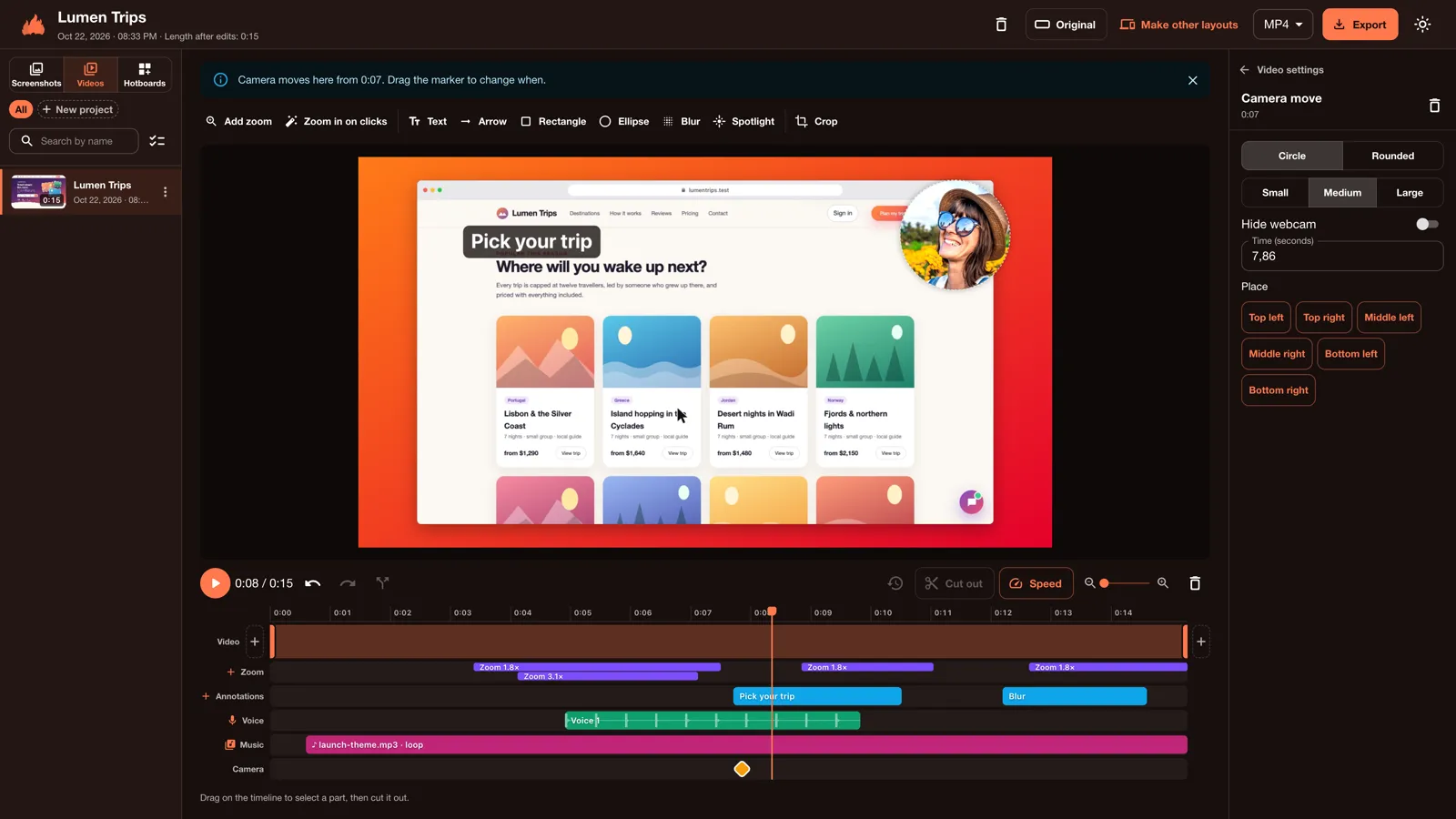
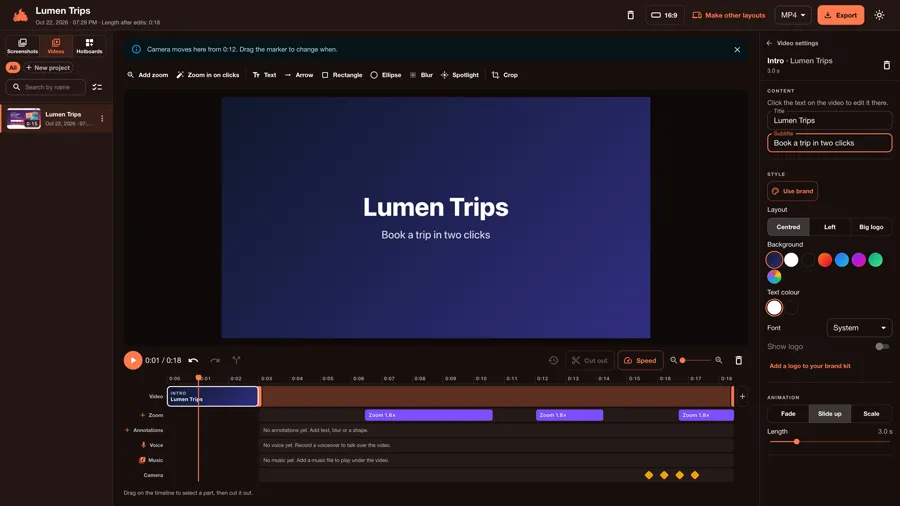
Move your face, add your voice
Your webcam bubble is not baked in. Drag it to any corner, resize it or change its shape after recording. Record a voiceover over the video, and re-record any clip.
-
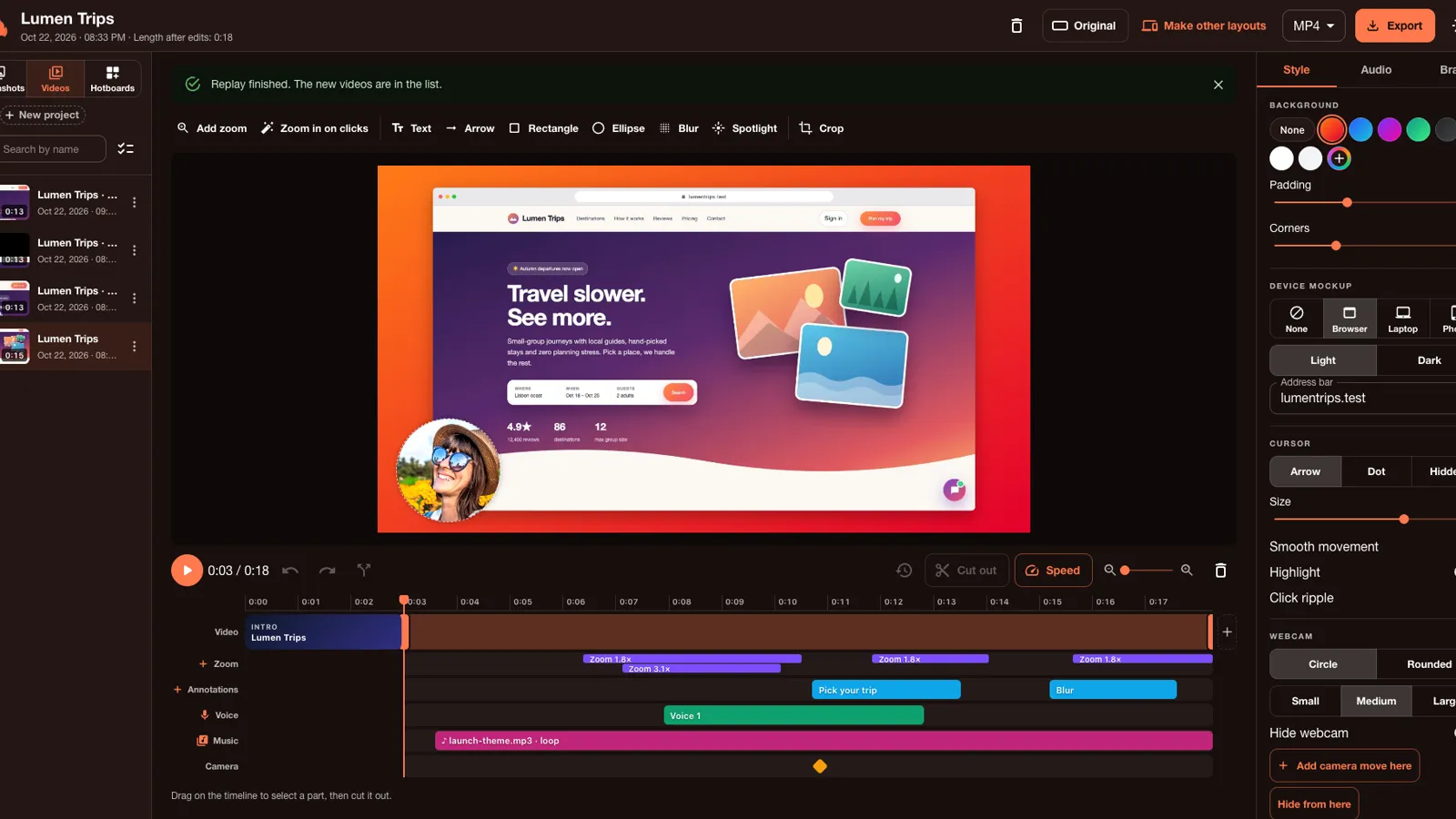
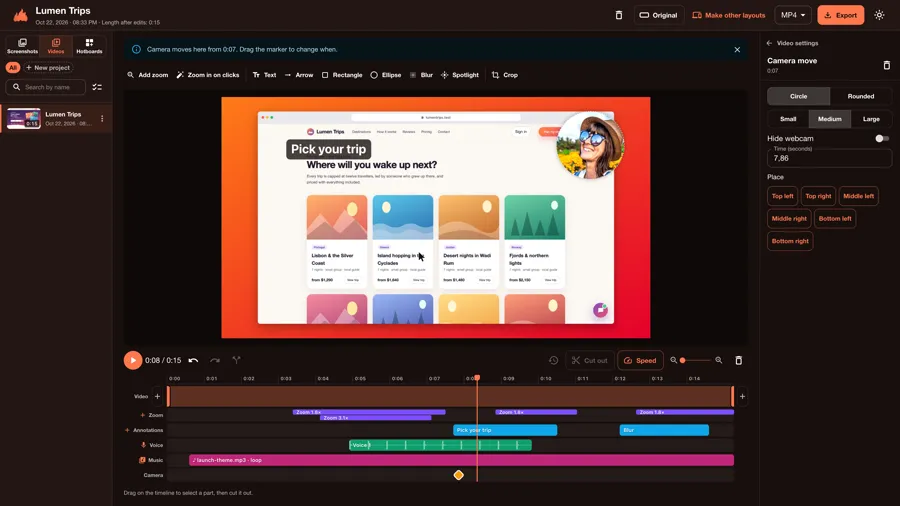
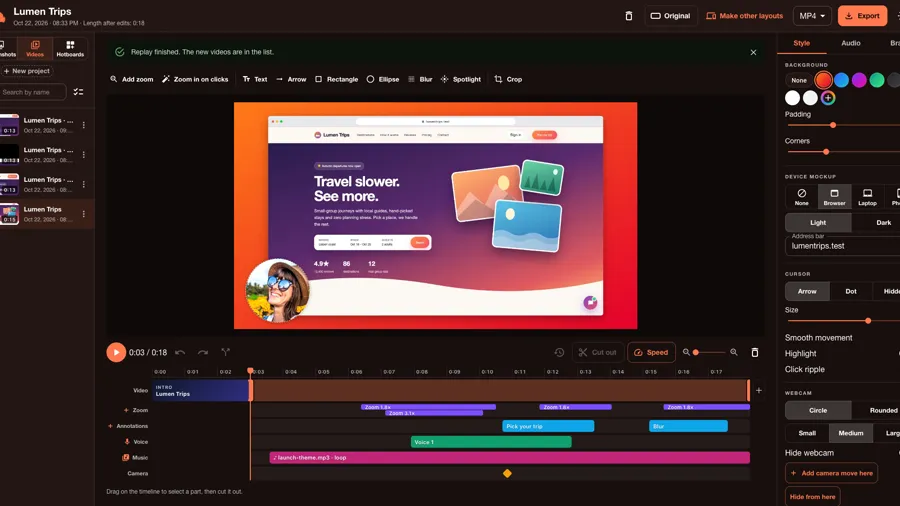
Record once, replay at any size
After a tab recording, pick Tablet or Mobile. Screenhot repeats your clicks, scrolling and typing in a window of that size and records each one as its own video.
-
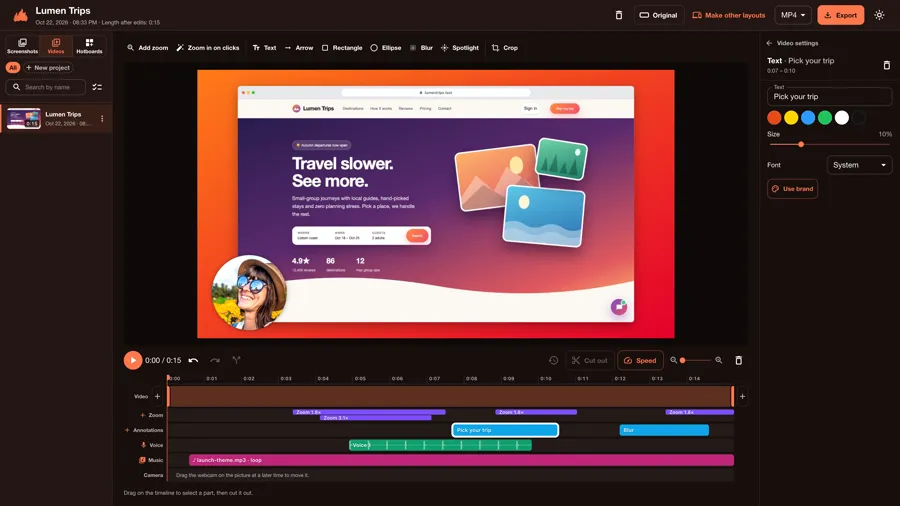
Blur, highlight and write on the video
Drop text, arrows, shapes, blur boxes and a spotlight on the timeline. Drag them to the second they should appear, and drag their edges to change how long they stay.
-
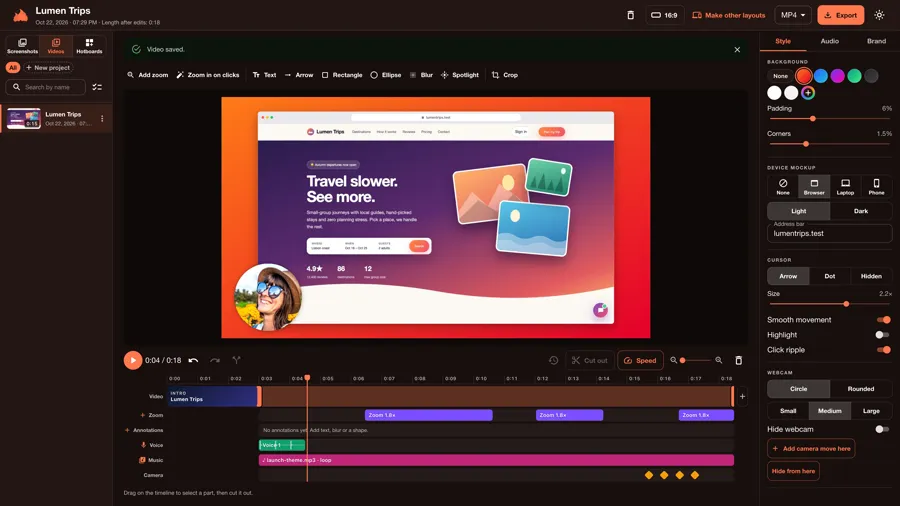
Export MP4, WebM or GIF
Pick the format and the quality. The file is made on your computer and saved to your downloads, with no watermark. Nothing is uploaded.
Your screenshots and recordings never leave your computer.
Screenhot has no account, no analytics and no remote code. Screenshots, videos and edits stay on your computer until you delete them or newer ones replace them.
What it never does
- Upload a screenshot or a recording
- Ask you to sign up
- Add a watermark
- Lock a feature behind a paid plan
- Track what you browse
The only thing Screenhot ever sends is feedback you type and send yourself. This website has no trackers either. Read the privacy policy.
Why it asks for each permission
activeTabReads the page you are on, only after you start a capture.scriptingScrolls and measures the page during a full page capture, then restores it.storageKeeps your settings and your recent screenshot sessions on your computer.offscreenStitches the captured parts into one image, and records your screen, locally.downloadsSaves PNG, ZIP, PDF, MP4, WebM or GIF files when you choose to download.clipboardWriteCopies a screenshot or text when you ask for it.mic, cameraYour browser asks once, and only if you turn them on for a recording.all sitesOptional. Asked for only when you capture open tabs or a list of links, or replay a recording in another layout.
Faster with your keyboard.
| Full page | AltShiftF |
|---|---|
| Visible area | AltShiftV |
| Split page | AltShiftS |
| Last used settings | AltShiftH |
| Start or stop recording | Set your own |
What people say.
“literally best tool i hope it stays free”
Chrome Web Store review, October 2026“useful and very user friendly. I like the Flow Capture feature”
Chrome Web Store review, September 2026
Questions, answered.
How do I take a full page screenshot?
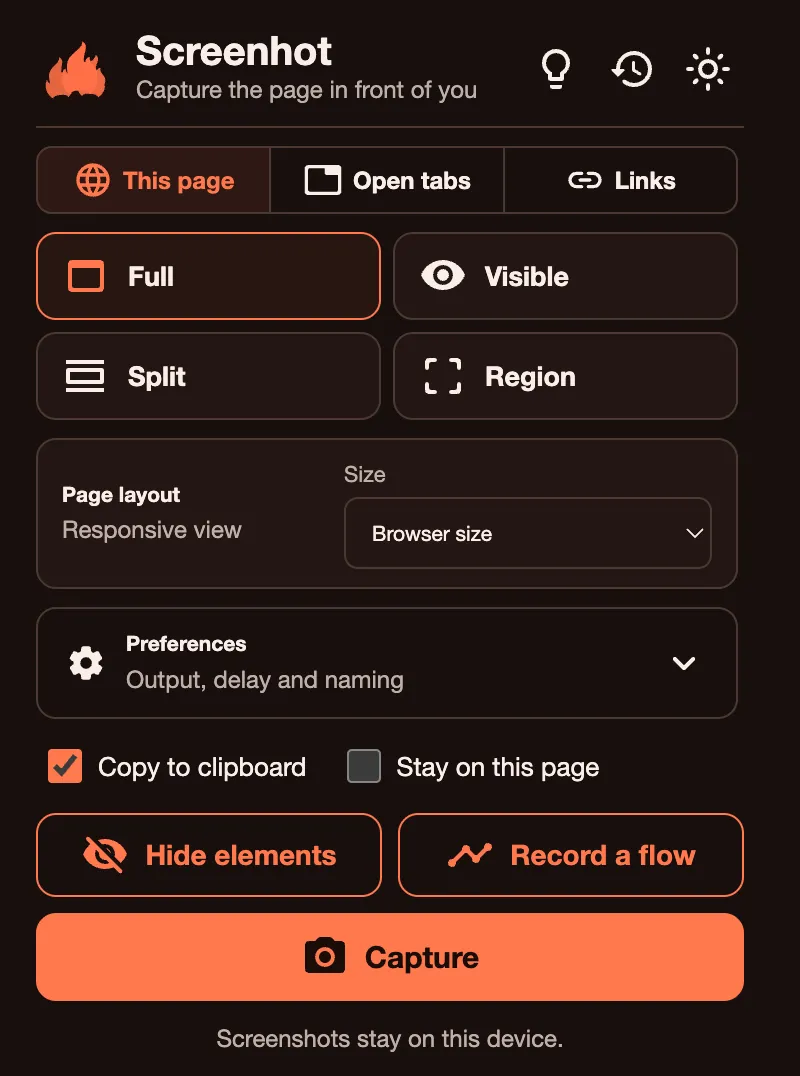
Add Screenhot to your browser, open the page, click the Screenhot icon, choose Full and press Capture. Screenhot scrolls the page, captures each part, stitches them into one image and puts the page back as it was. The shortcut Alt+Shift+F does the same in one step.
Can Screenhot record my screen?
Yes. Choose Video in the popup, pick a tab, a window or a screen and press Start recording. Mic, page sound and webcam are each optional. When you stop, the editor opens with your video.
What can I do with a recording?
Zoom in on your clicks automatically, add zoom areas, text, blur, arrows and a spotlight, pick a backdrop and a title card, move your webcam bubble, add a voiceover, and replay a tab recording at Tablet or Mobile size. Export MP4, WebM or GIF.
Are my recordings uploaded anywhere?
No. Recordings are saved on your computer and are never uploaded. There is no account, no watermark and no time limit.
Is Screenhot free?
Yes. Every feature is free, including the screen recorder. There is no paid plan, no watermark and no account.
Are my screenshots uploaded anywhere?
No. Screenshots, edits and settings stay in your browser on your computer. Screenhot has no analytics and no remote code. The only thing it ever sends is feedback you type and send yourself.
Which browsers does Screenhot work in?
Google Chrome 116 or newer, Microsoft Edge and Brave. All of them install it from the Chrome Web Store. In Edge, allow extensions from other stores when the browser asks. Screen recording works in Google Chrome for now.
Does it handle sticky headers and lazy-loaded images?
Yes. Sticky headers appear once instead of on every part, and lazy-loaded images get time to load while Screenhot scrolls. Single-page apps and scrollable panels such as chat lists can be captured too.
Can I save a screenshot as a PDF?
Yes. Save one screenshot or a whole session as a PDF. Every page keeps the exact screenshot size, the text stays searchable and selectable, and links stay clickable.
How do I screenshot all my open tabs at once?
Open Screenhot, choose Open tabs, pick the tabs and press Capture. Screenhot loads each page in a small capture window while you keep working. You can also paste a list of links. The results land in one session, with a retry button for pages that failed.
Which languages does Screenhot speak?
English, French, German, Spanish, Italian and Portuguese.
Capture it. Record it.
Add to your browserFree for Chrome, Edge and Brave. Screen recording runs in Chrome for now. Version 1.3.1.